May
07
2010
0

Tesco Bank rejecting some non-IE browsers for “security reasons”

When attempting to log into my Tesco Bank savings account recently, I was greeted with a message stating that my browser – the latest stable build of Google Chrome – is unsupported:

Tesco’s security concerns seem unfounded given that Google Chrome – which, incidentally, is based on same the WebKit rendering engine as Safari - was recently proven to be one of the most secure browsers.

Also, despite the site’s recommendation of a “modern version of Firefox”, I found that I was also prevented from logging in using the latest version of Firefox 3.6. Trusty (or should that be rusty?) old Internet Explorer 6 seems to work fine, and that’s not a particularly secure browser by any stretch of the imagination!

Strangely, I’m able to log into my Tesco Bank credit card account just fine with Chrome; it’s just the savings area that locks me out.

Fortunately the only reason I logged in was to withdraw my full balance ready to add to my 2010/11 ISA, but if I were looking to continue saving with Tesco, their short-sighted approach to browser support would certainly have me thinking twice.

Be the first to comment on this post

Written by Chris Barnes in: General | Tags: , , , , , , , ,
Sep
07
2007
0

FlashBlock – disable embedded Flash content in Firefox

Free Firefox extension FlashBlock replaces all embedded Flash objects with a placeholder that can be clicked to reveal the blocked element. This can improve performance and reduce memory usage. The extension also has a whitelist feature which enables you to define sites on which you don’t want the block to apply, for example YouTube.

Be the first to comment on this post

Written by Chris Barnes in: Downloads | Tags: , ,
Aug
14
2007
0

Back up your Firefox/Thunderbird settings with MozBackup

MozBackup is a free utility for backing up your Mozilla, Firefox and Thunderbird profiles. Mozilla haven’t yet released an official backup tool, and while it’s possible to achieve the same effect by manually copying folders, MozBackup makes the process much simpler.
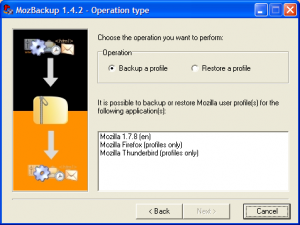
MozBackup

Be the first to comment on this post

Written by Chris Barnes in: Downloads | Tags: , , , ,
Jul
24
2007
0

Use Firefox as a calculator

As you probably know, Google has a very good calculator feature built-in. However, if you use Firefox, you don’t even need to access the Google website to use it – just type your sum in the search box (with the Google search engine selected) and, as if by magic, the answer will appear below, in the box normally reserved for suggested search phrases.

Firefox calculator

Be the first to comment on this post

Written by Chris Barnes in: Hints & Tips | Tags: , ,
Sep
01
2006
2

Firefox 2 Beta 2 now available

Mozilla has released the second beta version of Firefox 2. The usual warnings about beta software apply, but if you’re brave and would like a sneak peek of what’s to come, give it a spin.

If you’re not enamoured with the close buttons on every tab, or the tab bar scrolling feature, there are a couple of hidden about:config options that can be changed to disable the new features. See this Lifehacker comment for details.
Firefox 2 is slated for release in October of this year, with version 3 of the browser expected to appear at some point in 2007.

View all 2 comments or add your own

Written by Chris Barnes in: Downloads | Tags: , ,
Apr
26
2005
0

FireTune – Speed up your Firefox!

Fed up with deciphering about:config options, or reluctant to dig deep into Firefox’s configuration files just to speed up your browser? FireTune, a free tool from Total Ideas Software, may well be the answer. It safely and automatically tweaks your Firefox settings to make the most of your computer and Internet connection, which might just shave a few minutes of loading time from your day.

For Windows XP users, there is an option to create a special “Firefox Fast Start” shortcut which uses XP’s prefetching features to enable Firefox to start up faster.

This is an essential tool in the arsenal of any Firefox user and something I’d recommend to anyone.

In a similar vein, TNK-Bootblock offer an Adobe Reader speedup tool, which will prevent the program from loading little-used plugins every time you open a PDF file.

Be the first to comment on this post

Written by Chris Barnes in: Downloads | Tags: ,
Dec
27
2004
0

Firefox extensions

Here’s a list of my favourite extensions for the Firefox browser. Note that many of these will also work in Mozilla.

Adblock – filters ads from web pages (great in conjunction with Filterset.G definitions)
Allow Right-Click – defeats web sites’ right-click prevention scripts
Bandwidth Tester – tells you the bandwidth of your current Internet connection
BugMeNot – uses the bugmenot.com to log into sites requiring free subscription
Coralize – loads pages, links and images through Coral CDN
Configuration Mania – allows configuration of hidden Firefox preferences
Context Search – transforms the “Web Search for…” context item into a menu containing your Mycroft search plugins
del.icio.us – manage your del.icio.us bookmarks from within Firefox
Dict – define words in a Web page
Disable Targets For Downloads – prevents download links from opening a blank window
ForecastFox – display international weather forecasts from weather.com in any toolbar or statusbar
Gcache – displays a Google cached version of the current webpage
Gmail Notifier
ieview -view current page in Internet Explorer

Written by Chris Barnes in: Downloads | Tags: ,
Nov
20
2004
1

Firefox search extensions

Today I stumbled across the site of the Mycroft project, which provides search plugins for Mozilla, Firefox and Netscape 6+.

In Firefox, there is a search box adjacent to the address bar. By default it searches Google, but if you click on the arrow next to the Google logo, you can select from a number of different search engines. In Mozilla and Netscape, there is a search sidebar with similar functionality.

The great thing about the search box/sidebar is that not only can you search Google and other sites quickly and easily, you can also add your favourite search engines to be available directly from your browser’s search function.

Mycroft hosts an impressive selection of search plugins covering many popular sites, and the site explains how to “roll your own” if your favourite site is not catered for; a fairly simple process if you have some knowledge of HTML.

If you haven’t tried Firefox yet and want to know what all the fuss is about, click here to find out more. It’s basically a free alternative to Internet Explorer, and it provides extra security and features such as tab browsing.

View comments or add your own

Written by Chris Barnes in: Downloads | Tags: , , , ,

Proudly powered by WordPress and W2-S Internet Services. Design based on Aeros Theme by TheBuckmaker.com.